Building a gaming computer on a limited budget requires careful decisions about which components deserve the most money. Every part, from the graphics card to the storage drive, affects the overall experience. One common question among budget builders is whether an NVMe SSD is necessary or whether a traditional SATA SSD is good enough. Understanding the differences can help you avoid spending money on upgrades that offer little practical benefit. 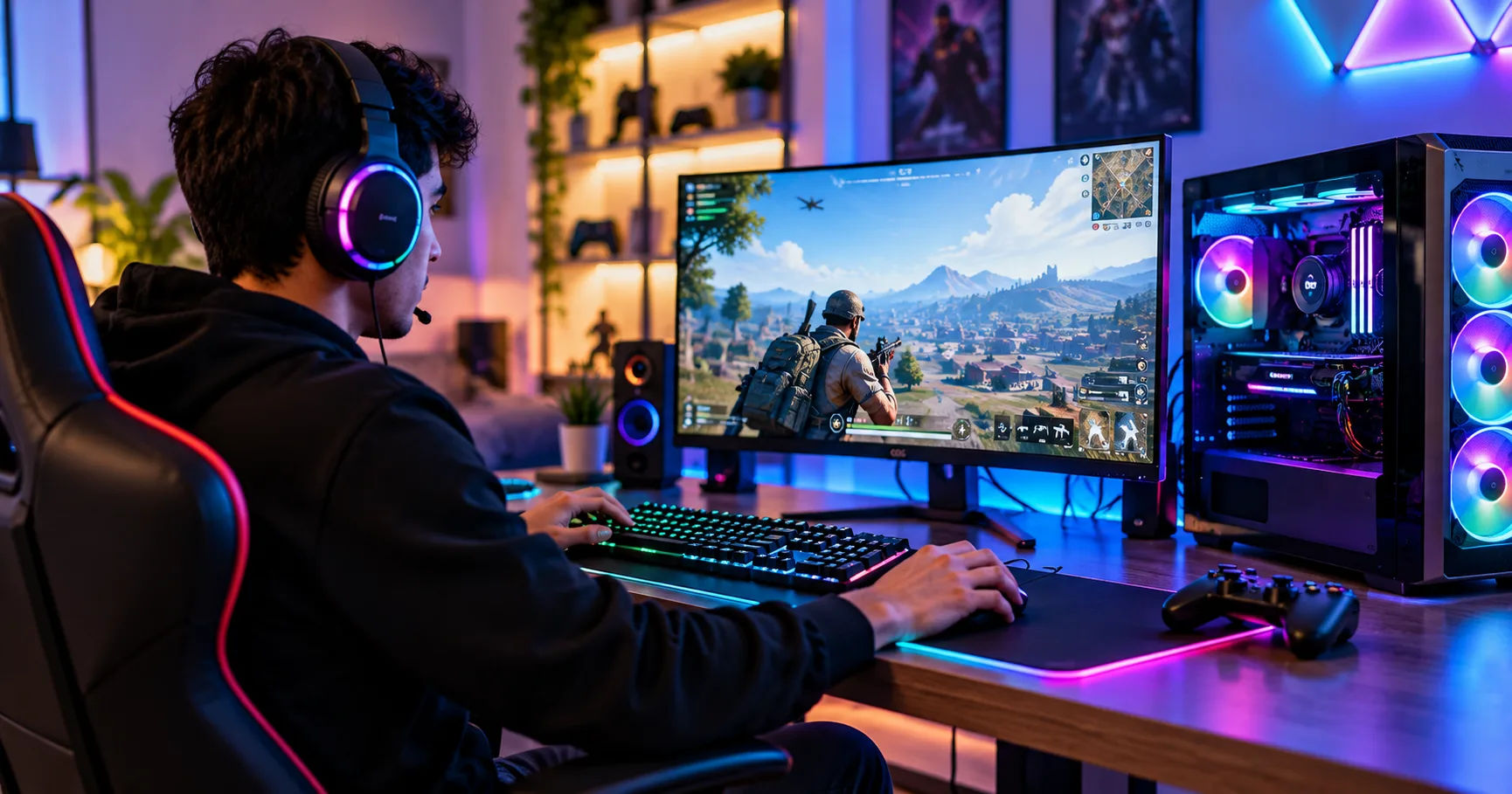 For anyone building a cheap gaming pc, storage is an important consideration because it affects how quickly games load, how fast Windows starts, and how responsive the system feels during everyday tasks. NVMe SSDs are known for their high speeds, but they are not always essential for every gaming setup. Your processor, graphics card, memory, and the types of games you play also influence overall performance.
The good news is that you do not need the most expensive storage device to enjoy modern games. A suitable SATA SSD can still provide a smooth experience, while an NVMe SSD may offer additional advantages for demanding games and everyday computing. The right choice depends on your budget, motherboard compatibility, storage capacity, and performance expectations.
NVMe SSDs and How They Work
Before deciding whether an NVMe SSD is worth buying, it helps to understand what it does and how it differs from other storage technologies.
What Is an NVMe SSD?
An NVMe SSD is a solid-state drive that uses the Non-Volatile Memory Express protocol to communicate with a computer through a high-speed interface, usually PCIe. It stores data on flash memory chips and has no moving mechanical parts.
Compared with older storage technologies, NVMe drives can transfer data at much higher speeds. Many PCIe 3.0 NVMe drives offer sequential read speeds of approximately 2,000–3,500 MB/s, while PCIe 4.0 models can reach around 5,000–7,500 MB/s or more, depending on the model.
These speeds make NVMe drives useful for transferring large files, loading demanding applications, and working with large amounts of data.
What Is a SATA SSD?
A SATA SSD is another type of solid-state storage device. It commonly uses the SATA III interface, which limits its practical sequential transfer speeds to around 500–550 MB/s.
Although this is much slower than the speeds of many NVMe drives, SATA SSDs remain significantly faster than traditional mechanical hard drives in many everyday situations.
They can start Windows quickly, launch applications efficiently, and provide a good gaming experience. Their performance is often sufficient for people who want an affordable computer without unnecessary expenses.
The Main Difference Between NVMe and SATA
The biggest difference is the interface and the way each drive communicates with the computer.
NVMe drives generally offer higher bandwidth and lower storage-access latency. SATA SSDs have lower maximum transfer speeds but still deliver the responsiveness associated with solid-state storage.
However, a higher maximum transfer speed does not automatically mean that games will run at a much higher frame rate. Storage is only one part of the gaming system.
Does a Cheap Gaming PC Need an NVMe SSD?
The short answer is no. An NVMe SSD is not an absolute requirement for a gaming computer.
A SATA SSD can run games, load levels, and support everyday computing without major problems. If your budget is tight, purchasing a SATA SSD instead of an NVMe drive may allow you to spend more on a graphics card or processor.
However, an NVMe SSD can still be an excellent investment, especially when the price difference between the two options is small.
When an NVMe SSD Is Worth Buying
An NVMe drive is a good choice when you want fast storage without sacrificing too much of your budget.
Consider one if:
-
You frequently install, uninstall, and update large games.
-
You play modern open-world games with substantial amounts of data to load.
-
You regularly transfer large files.
-
You use demanding applications alongside your games.
-
Your motherboard supports NVMe, and the price is close to that of a SATA SSD.
In these situations, an NVMe drive can improve convenience and reduce waiting times in storage-intensive workloads.
When a SATA SSD Is Enough
A SATA SSD is a sensible option when every part of your computer must fit within a strict budget.
For example, someone playing competitive games such as older versions of Counter-Strike, League of Legends, or similar titles may benefit more from a stronger processor or graphics card than from upgrading from SATA storage to NVMe.
A SATA SSD is also suitable for general computing, schoolwork, browsing, and many gaming tasks.
The important thing is to avoid buying a mechanical hard drive as your only drive if you can reasonably afford an SSD. Moving from an HDD to an SSD often produces a more noticeable improvement in everyday responsiveness than moving from a SATA SSD to an NVMe SSD.
How Much Does an NVMe SSD Improve Gaming Performance?
Storage performance and gaming performance are related, but they are not the same thing.
Does NVMe Increase FPS?
Frames per second, or FPS, measures how many images a game displays each second. Your graphics card and processor are usually the main components determining FPS.
An NVMe SSD generally does not produce a significant FPS increase compared with a SATA SSD when the game is already running and its required data is available in memory.
For example, if your computer runs a game at 60 FPS with a SATA SSD, replacing that drive with an NVMe SSD will not automatically raise performance to 100 FPS.
The result depends on whether storage speed is actually limiting the game.
If your system is limited by a weak graphics card, insufficient RAM, or an older processor, an SSD upgrade will not solve those problems.
Can NVMe Reduce Loading Times?
Yes, an NVMe SSD can reduce loading times in some games, particularly when they read large amounts of data from storage.
However, the improvement varies significantly. Some games may load only slightly faster than they do on a SATA SSD, while others can benefit more from faster storage.
Game engines, file compression, CPU performance, and the way a game accesses data all influence loading times.
For many players, both SATA and NVMe SSDs already provide reasonably quick loading. The difference may be noticeable without being dramatic.
Does NVMe Improve Open-World Gaming?
Open-world games often stream textures, environmental assets, and other information while players explore large maps.
Faster storage can help these processes, especially in games designed around high-speed SSDs. It may reduce certain delays associated with reading game assets.
However, stuttering can also result from limited VRAM, insufficient system memory, CPU bottlenecks, or poor optimization.
Therefore, installing an NVMe SSD can help in storage-related situations, but it cannot guarantee that every performance issue will disappear.
Choosing the Right SSD Capacity
Speed is only one factor when selecting storage. Capacity matters just as much, especially because modern games can occupy substantial amounts of space.
Is a 256GB SSD Enough?
A 256GB SSD may work for a basic gaming computer, but it can become restrictive quickly.
Windows, essential applications, temporary files, and game updates all consume storage space. After formatting and accounting for the operating system, the usable capacity is lower than the advertised amount.
You may have enough room for a few smaller games, but installing several large titles could force you to remove games frequently.
A 256GB drive makes the most sense when your budget is extremely limited and you plan to upgrade later.
Is a 500GB or 512GB SSD Better?
For many budget builders, a 500GB or 512GB SSD offers a practical balance between affordability and usable space.
It provides room for Windows, commonly used applications, and several games without requiring constant storage management.
If you primarily play a small selection of competitive games, this capacity may be sufficient for quite some time.
Should You Buy a 1TB NVMe SSD?
A 1TB NVMe SSD is an attractive option if you play several large games or want to avoid upgrading storage in the near future.
It offers additional space for game libraries, updates, recordings, and personal files.
When comparing models, consider the total price rather than looking only at the cost per gigabyte. If a 1TB NVMe drive costs only slightly more than a smaller drive, the extra capacity may provide better long-term value.
For a cheap gaming pc, a reasonably priced 1TB drive can be a worthwhile purchase, provided it does not force you to compromise on essential components.
NVMe SSD vs. SATA SSD vs. HDD
Understanding the three main storage choices makes it easier to select the right option for your system.
|
Feature |
NVMe SSD |
SATA SSD |
HDD |
|---|---|---|---|
|
Typical sequential speed |
2,000–7,500+ MB/s, depending on generation |
Around 500–550 MB/s |
Often 80–200 MB/s |
|
Moving parts |
No |
No |
Yes |
|
Windows startup |
Very fast |
Fast |
Usually slower |
|
Game loading |
Fast |
Fast |
Often slower |
|
Cost per gigabyte |
Varies by model |
Varies by model |
Often lower |
|
Best use |
Fast primary storage |
Affordable primary storage |
Bulk storage |
These figures are approximate. Actual performance varies by drive model, workload, connection, and system configuration.
Which Storage Type Offers the Best Value?
For most new gaming builds, an SSD is preferable as the primary drive because it improves system responsiveness.
An NVMe SSD is often the best choice when its price is competitive with SATA alternatives. It combines high performance with a compact form factor and does not require separate SATA data and power cables.
A SATA SSD remains a reasonable alternative for older computers or systems without a compatible M.2 NVMe slot.
An HDD is best considered for inexpensive bulk storage, such as archived recordings, documents, and games that do not need fast loading.
Check Your Motherboard Before Buying an NVMe SSD
Not every computer supports every storage device. Before purchasing an NVMe SSD, confirm that your motherboard or laptop supports the drive you want to install.
Check for an M.2 Slot
Many modern motherboards include one or more M.2 slots. However, an M.2 connector does not automatically guarantee NVMe support because some M.2 slots support SATA drives only.
Check the motherboard specifications to confirm that the slot supports PCIe NVMe storage.
You should also verify the supported drive lengths. The common 2280 format measures 22 millimeters wide and 80 millimeters long, but some systems support different sizes.
Check PCIe Compatibility
NVMe drives use different PCIe generations, including PCIe 3.0, 4.0, and 5.0.
A newer drive can often operate in an older compatible slot, but it will generally be limited by the capabilities of the connection. Compatibility can also depend on the motherboard, processor, and firmware.
For budget gaming, PCIe 3.0 and PCIe 4.0 drives can both be excellent options. Paying extra for a high-end PCIe 5.0 model is rarely necessary for a basic gaming build.
Consider Cooling and Drive Quality
Some high-performance NVMe drives can become warm during sustained workloads. Many ordinary gaming systems do not need expensive aftermarket cooling, but adequate airflow is still helpful.
Look beyond advertised speed when comparing drives. Warranty coverage, endurance ratings, reliability, and performance during longer transfers are also worth considering.
A well-made, moderately fast SSD can be a better purchase than a cheaper drive with poor sustained performance.
Should You Upgrade Your Graphics Card Instead?
If you already have a SATA SSD and want better gaming performance, upgrading another component may offer greater benefits.
Prioritize the Graphics Card
For most games, the graphics card has a major influence on visual quality and FPS, particularly at higher resolutions.
If your existing graphics card struggles to run games smoothly, spending the upgrade budget on a stronger model may deliver a much more noticeable improvement than changing your storage device.
Make Sure You Have Enough RAM
System memory also affects gaming performance. Many modern gaming systems benefit from 16GB of RAM, while 32GB can be useful for demanding games, multitasking, and content creation.
Insufficient memory may cause the operating system to use the storage drive as additional virtual memory. This can lead to slowdowns that a faster SSD may reduce but cannot completely eliminate.
Check your actual memory requirements before deciding where to spend your money.
Balance the Whole System
A gaming computer works best when its components are reasonably balanced.
A powerful graphics card paired with insufficient RAM may not perform as expected. Similarly, an expensive NVMe SSD cannot compensate for a weak processor in CPU-intensive games.
Choose storage after accounting for the main performance requirements of your preferred games.
Common Mistakes to Avoid When Buying an NVMe SSD
Even a relatively inexpensive storage upgrade can become poor value if you overlook a few important details.
Buying Based Only on Advertised Speed
Manufacturers often advertise maximum sequential read speeds. These numbers are useful, but they do not fully describe real-world performance.
Random access, sustained writes, controller quality, and workload behavior can influence how a drive performs in daily use.
Compare reputable reviews and specifications rather than selecting a drive solely because it has the largest speed number.
Choosing Capacity That Is Too Small
Buying the smallest available drive may save money initially, but it can create storage problems later.
Games require updates, and some titles grow substantially after installation. Leaving free space also helps you manage temporary files and avoid constantly deleting applications.
Select a capacity that matches your gaming habits instead of focusing only on the initial purchase price.
Ignoring the Price Difference
An NVMe SSD is not automatically a better purchase at every price.
If a suitable SATA SSD is considerably cheaper, the savings might be better spent on a graphics card, additional RAM, or a larger monitor.
On the other hand, if the two drives cost almost the same, choosing NVMe is usually sensible when your system supports it.
Expecting Storage to Fix Every Problem
Slow loading, low FPS, and stuttering do not always have the same cause.
Monitor system resource usage and identify the actual limitation before buying an upgrade. This approach helps you spend money where it will make the greatest difference.
How to Get the Best Results From Your SSD
After choosing your drive, a few simple practices can help maintain good performance.
Install Windows and your most frequently played games on the SSD.
Keep enough free space for updates and temporary files.
Enable the operating system's normal SSD optimization features.
Install appropriate motherboard and storage-related drivers.
Keep important files backed up because SSDs can fail like other storage devices.
Avoid unnecessary disk-cleaning utilities that promise unrealistic performance gains.
If you already own an SSD, check its health and available capacity before replacing it. A functioning SATA SSD may still have plenty of useful life remaining.
You can also use an HDD as secondary storage if you need inexpensive space for less frequently played games, archived files, or media.
Conclusion
Does a cheap gaming PC need an NVMe SSD? No, but it can certainly benefit from one. An NVMe drive provides excellent storage performance, quick file transfers, and potentially shorter loading times in games that take advantage of faster storage. It is a particularly attractive option when your motherboard supports it and the price difference compared with a SATA SSD is small.
However, an NVMe SSD is not a requirement for enjoying PC gaming. A SATA SSD can still deliver a responsive Windows experience, fast application launches, and good loading performance in many games. Moving from a mechanical hard drive to either type of SSD is often a more meaningful upgrade than replacing an existing SATA SSD with an NVMe model.
When planning your build, consider the whole system rather than focusing on one component. A capable graphics card, sufficient RAM, a suitable processor, and enough storage capacity all contribute to a better gaming experience.
For a budget-conscious builder, a 500GB or 1TB NVMe SSD is a sensible choice when it fits comfortably within the budget. If buying one means sacrificing a more important component, choose an affordable SATA SSD instead and upgrade later if necessary.
Ultimately, the best storage drive is the one that meets your needs without wasting money. Prioritize balanced performance, reliable hardware, and sufficient capacity. With those factors in mind, you can build an enjoyable gaming system without paying extra for performance you may rarely notice.